
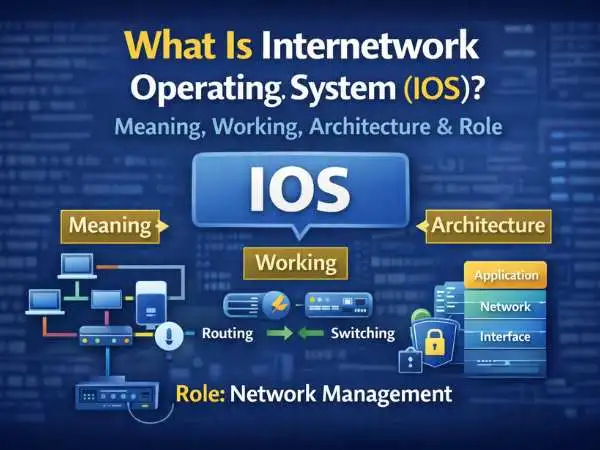
If you’ve studied computer networks or worked with routers and switches, you’ve likely come across the term internetwork operating system, often shortened to IOS. It sounds similar to a mobile operating system, but the meaning is completely different. This confusion leads many learners to ask: what is internetwork operating system, how it works, and why it matters in networking.

An internetwork operating system is the backbone of how network devices function. It controls how routers forward packets, how switches manage traffic, how protocols communicate, and how security rules are enforced. Without an internetwork operating system, modern networks would not exist in a usable form.
This blog explains the internetwork operating system in depth. You’ll learn what it is, how it works, its architecture and core functions, how IOS interacts with network protocols, and how IOS supports network security. Every section is expanded fully so you can understand not just definitions, but real behavior.
What Is Internetwork Operating System
An internetwork operating system is specialized system software designed to run on networking devices such as routers, switches, and firewalls. Its primary job is to control how these devices communicate with each other across networks.
Unlike a general-purpose operating system used on computers, an internetwork operating system focuses on:
- packet forwarding
- routing decisions
- interface control
- protocol handling
- traffic management
It does not run word processors or browsers. It runs networks.
Also Read : – Best Map Apps For IPhone Users : Know About The Map Apps To Use On Your IPhone
What Is Internetwork Operating System With Example
To make the idea clearer, consider a common example.
A router manufactured by Cisco runs a version of Cisco IOS. When data enters the router, the internetwork operating system decides:
- where the data should go
- which interface to use
- which routing rule applies
- whether the packet is allowed or blocked
In this case, Cisco IOS is the internetwork operating system that controls the router’s behavior.
Other vendors have similar systems, but the concept remains the same.
Why Internetwork Operating Systems Exist
Networks involve constant decision-making. Data flows arrive every second from many directions. Each packet must be examined, processed, and forwarded correctly.
An internetwork operating system exists to:
- automate these decisions
- apply consistent rules
- manage hardware resources
- keep communication stable
Without it, network devices would be static and unreliable.
How Internetwork Operating System Works
Understanding how it works requires looking at what happens when data moves through a network device.
When a packet arrives at a router:
- The internetwork operating system reads the packet header
- It checks routing tables
- It applies policies and filters
- It selects the correct outgoing interface
- It forwards the packet
This process happens extremely fast, millions of times per second in large networks.
Packet Handling Inside IOS
The internetwork operating system separates tasks into logical processes.
These include:
- input processing
- routing decision logic
- output queuing
- interface transmission
Each step ensures data flows correctly without collisions or loss.
Also Read : – Comprehensive Guide: Responding to Ransomware Attacks with Strategic Precision
Control Plane and Data Plane
Internetwork operating systems operate using two major planes.
The control plane:
- builds routing tables
- runs routing protocols
- makes decisions
The data plane:
- forwards packets
- applies rules
- handles traffic flow
This separation improves performance and stability.
Architecture and Core Functions of IOS
The architecture and core functions of IOS define how the system is organized internally.
Internetwork operating systems follow a modular structure. Each module handles a specific responsibility.
Kernel and Process Management
At the core of IOS is a kernel that manages:
- memory
- scheduling
- hardware access
It ensures that routing, management, and interface processes run without conflict.
Command-Line Interface (CLI)
One of the most visible parts of an internetwork operating system is the command-line interface.
The CLI allows administrators to:
- configure devices
- monitor traffic
- troubleshoot problems
Commands entered through the CLI directly interact with the operating system’s processes.
Memory Management in IOS
Internetwork operating systems use different memory areas.
Common types include:
- RAM for running configurations
- flash memory for system images
- non-volatile memory for startup settings
The IOS controls how data moves between these areas during operation and reboot.
Interface Management
IOS manages physical and virtual interfaces.
It:
- brings interfaces up or down
- assigns addresses
- tracks interface status
This ensures reliable connectivity across network links.
Routing Table Management
One of the most critical functions of an internetwork operating system is routing table management.
The IOS:
- builds routing tables
- updates them dynamically
- selects best paths
Routing decisions are always based on these tables.
Also Read : – How to Improve Your Team’s Productivity with Task Management Tools
IOS and Network Protocols
IOS and network protocols are deeply connected. Protocols define how devices talk. IOS defines how they are implemented.
Internetwork operating systems support many protocols at once, allowing devices to operate in complex environments.
Routing Protocol Support
IOS supports routing protocols such as:
- RIP
- OSPF
- EIGRP
- BGP
Each protocol has its own logic, timers, and metrics. IOS runs these protocols simultaneously when needed.
Switching and Layer Protocols
On switches, IOS handles:
- VLAN tagging
- spanning tree logic
- MAC address learning
These functions ensure efficient local network communication.
Transport and Application Interaction
IOS does not replace higher-layer protocols. Instead, it supports them by:
- forwarding packets correctly
- applying quality controls
- managing congestion
This allows applications to function smoothly over the network.
IOS in Network Security
IOS in network security is one of its most important roles today.
Modern networks face constant threats. The internetwork operating system acts as a gatekeeper.
Access Control Lists (ACLs)
IOS uses access control lists to:
- permit traffic
- deny traffic
- filter based on rules
ACLs are processed directly by the operating system at high speed.
Firewall Capabilities
Many internetwork operating systems include firewall features.
These features:
- inspect traffic
- track sessions
- block suspicious behavior
Security logic is built into the operating system itself.
Authentication and Authorization
IOS supports authentication systems to control who can access network devices.
This includes:
- user authentication
- role-based access
- secure remote management
Strong access control reduces configuration errors and attacks.
Also Read : – Swiggy Order Cancel – Can I Cancel Swiggy Order?
Encryption and Secure Communication
Internetwork operating systems support encrypted communication for:
- remote management
- virtual private networks
- secure tunnels
Encryption ensures data remains private while moving across networks.
Monitoring and Logging
IOS continuously monitors network activity.
It:
- logs events
- tracks errors
- reports performance data
This helps administrators detect issues early.
Internetwork Operating System vs General Operating System
An internetwork operating system differs greatly from a desktop or mobile OS.
General operating systems:
- focus on user interaction
- run many applications
- support graphics and multimedia
Internetwork operating systems:
- focus on traffic flow
- prioritize reliability
- optimize packet processing
Their goals are entirely different.
Stability and Reliability of IOS
Networks must run continuously. IOS is designed for long uptime.
Features include:
- process isolation
- fault tolerance
- graceful restarts
This stability is critical in enterprise and service-provider networks.
Updating and Maintaining IOS
Internetwork operating systems require careful updates.
Administrators must:
- test new versions
- avoid downtime
- preserve configurations
IOS upgrades are planned operations, not casual updates.
Also Read : – How To Cancel Order On Zomato India? – How To Cancel Order On Zomato Before Deliver?
Real-World Use of Internetwork Operating Systems
Internetwork operating systems run:
- enterprise networks
- data centers
- internet service provider backbones
- cloud infrastructure
Almost every digital service depends on them indirectly.
Learning Internetwork Operating Systems
Students and professionals study IOS to understand:
- networking fundamentals
- device configuration
- troubleshooting methods
Hands-on practice builds confidence.
Common Misunderstandings About IOS
Several misconceptions exist.
- IOS is not a mobile OS
- IOS is not application software
- IOS is not limited to one protocol
It is system software built for networking.
Why Internetwork Operating Systems Matter
Without internetwork operating systems:
- networks would fail to scale
- security would collapse
- data flow would be unreliable
They quietly support the internet itself.
Also Read : – How To Cancel Dominos Order – Process For Website, App and Third Party Apps
Final Thoughts on What Is Internetwork Operating System
An internetwork operating system is the intelligence behind network devices. It decides how data moves, how rules are applied, and how security is enforced. While users rarely see it, every email, video, and transaction depends on it.
Understanding IOS means understanding how modern networks truly function.
FAQs: Internetwork Operating System
What is internetwork operating system
System software that controls routers and switches in a network.
What is internetwork operating system with example
Cisco IOS running on a router is a common example.
How does IOS work
It processes packets, applies routing rules, and forwards traffic.
What role does IOS play in security
It enforces access control, filtering, and encryption.
Is IOS a general operating system
No, it is specialized for networking devices.
