
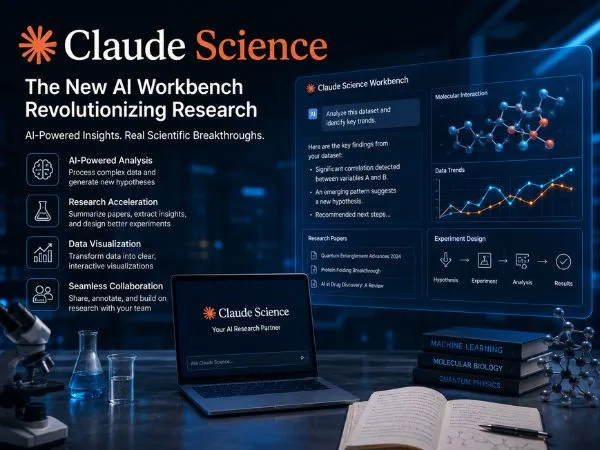
For years, scientists have faced a “fragmentation problem.” Between searching PubMed for literature, running custom Python scripts in Jupyter notebooks, managing HPC (High-Performance Computing) clusters, and formatting publication-ready figures, research has been a disjointed, manual process.
As of July 2026, that is changing. Anthropic has officially launched Claude Science, a dedicated AI workbench designed not just to “chat” about research, but to automate and execute the entire scientific workflow.
Whether you are in genomics, structural biology, or cheminformatics, here is how Claude Science is moving AI beyond simple text generation and into the lab.
What is Claude Science?
Claude Science is a specialized desktop application—a “workbench”—that functions as an integrated environment for researchers. It is important to note: Claude Science is not an AI model itself. Rather, it is a tool-using agentic system that connects Anthropic’s models to the actual tools scientists use every day.
It brings your data, your computing power, and your research tools into one interface, allowing you to move from hypothesis to publication-ready figure without constantly switching between apps.
Also Read : – What Is Internetwork Operating System (IOS): Meaning, Working, Architecture, and Role in Modern Networks
Key Capabilities: More Than a Chatbot
The workbench is pre-configured with over 60 curated skills designed for specific scientific domains. Here is what it can handle:
1. Unified Research Environments
- Domain-Ready: It comes out of the box with connectors for resources like UniProt, PDB, Ensembl, Reactome, and ChEMBL. You no longer need to navigate different schemas for each database; you simply ask a plain-language question, and specialist agents synthesize the data for you.
- Structural & Genomic Rendering: Claude Science natively renders 3D protein structures, genome browser tracks, and chemical structures, allowing you to visualize and annotate them in-line.
2. Auditable “Provenance”
The biggest hurdle in AI-assisted research is reproducibility. Claude Science solves this by generating rich scientific artifacts. For every figure, table, or manuscript section produced, the app saves:
- The exact code used to create it (Python, R, or shell).
- The environment details.
- The full conversation history of how the result was refined.This creates a verifiable audit trail that makes peer-reviewed validation much easier.
3. On-Demand Compute
Large-scale analysis often forces scientists to stop their research to configure compute clusters. Claude Science handles this by:
- Drafting the necessary batch scripts.
- Submitting jobs to your lab’s HPC cluster (via SSH/SLURM) or cloud compute resources (like Modal).
- Pulling back the results and documenting them once the run is complete.
Real-World Use Cases
How are labs actually using this?
- Target Nomination: Researchers use Claude Science to assess surface expression and safety for potential drug targets, ranking candidates against proprietary internal data.
- Manuscript Iteration: Instead of manually updating figures when data changes, you can simply ask the agent, “Refine the UMAP plot for these clusters,” and it updates the figure and the accompanying code automatically.
- Cross-Database Synthesis: If you’re investigating a specific protein, Claude Science can cross-reference clinical variants (ClinVar), pathway data (Reactome), and structural data (PDB) instantly, saving hours of manual lookup.
Also Read : – Best Map Apps For IPhone Users : Know About The Map Apps To Use On Your IPhone
Is Claude Science Right for Your Lab?
Claude Science is currently available in beta for Claude Pro, Team, and Enterprise users.
It is likely worth it if:
- Your lab spends more time stitching together different databases, notebooks, and scripts than actually analyzing findings.
- You need a way to track the “provenance” of your data to ensure reproducibility for publication.
- You want an AI that can handle the “plumbing” of science—submitting HPC jobs and managing data flows—so you can focus on the hypothesis.
It might be less useful if:
- You only need casual scientific Q&A.
- Your workflow is entirely manual and doesn’t rely on coding or large datasets.
The Future of AI in Research
The launch of Claude Science signals a shift in the AI industry: moving away from “generalist” assistants toward specialized, tool-using environments. By prioritizing reproducibility and direct integration with lab infrastructure, Anthropic is positioning Claude not just as a chatbot, but as a core piece of scientific research infrastructure.
Interested in exploring how Claude Science fits into your specific research workflow? Visit the official Anthropic news hub for full setup documentation and integration guides.
Frequently Asked Questions (FAQ)
Does my lab data stay private?
A: Yes. Claude Science runs locally on your lab’s infrastructure (laptop, Linux box, or login node). Only the specific context needed for each analysis step is sent to Anthropic’s models, keeping your large, sensitive datasets on your own systems.
Can I use it with my own code?
Absolutely. Claude Science can read your existing scripts and workflows. It can wrap them as “skills” that can be reused, and even help you debug or optimize your legacy code.
What models does it use?
It uses the models currently included in your Claude plan (e.g., Claude 3.5 Sonnet or the latest Opus models). The “Science” part of the app is the workbench interface and the agentic logic, not a separate AI model.
